


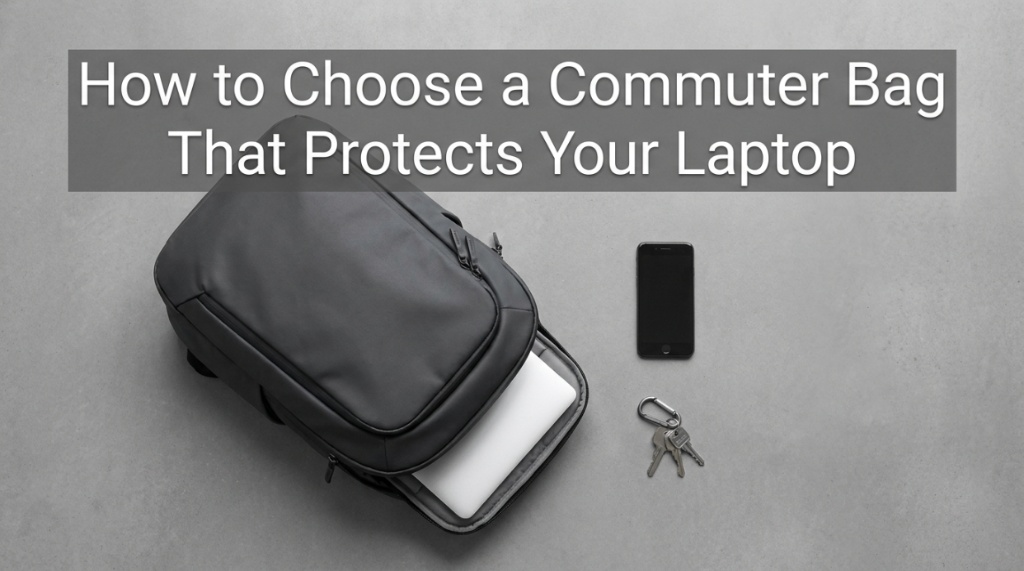
A product designer in Brooklyn dropped her bag from waist height onto a concrete subway platform — a fall of maybe three feet. Her $2,400 MacBook Pro’s screen cracked because the bag’s “laptop pocket” was nothing more than a thin fabric sleeve with zero padding at the bottom. Three feet. That’s all it took. Choosing a commuter bag that genuinely protects your laptop commuter bags investment means understanding the difference between a bag that holds a laptop and a bag that protects one. Most bags advertise “laptop compatible” while offering protection equivalent to wrapping your computer in a t-shirt. Real laptop protection requires specific engineering: suspended sleeves, closed-cell foam, dedicated compartments, and reinforced bases that absorb impact energy before it reaches your device. If your laptop is worth more than $800, the bag protecting it should be chosen with the same seriousness as the laptop itself.
Laptop damage from inadequate bags costs professionals an average of $1,200 per incident (repair or replacement plus productivity loss during downtime), according to 2024 data from SquareTrade. Yet most commuters spend less than 30 seconds evaluating laptop protection when buying a bag — focusing instead on style, price, or pocket count. This guide makes laptop protection the primary buying criterion and shows you exactly what engineering separates bags that save laptops from bags that merely carry them. Here’s how to choose laptop commuter bags that keep your most valuable work tool safe through years of daily commuting.
What Laptop Protection Features Are Non-Negotiable?
A suspended sleeve design, minimum 1.5cm closed-cell foam padding on all sides, a dedicated compartment separate from the main storage, and a secure closure mechanism are the four non-negotiable features for any bag carrying a laptop worth protecting.
Each feature explained:
- Suspended sleeve (most critical): The laptop hangs inside the compartment without touching the bag’s bottom. When you set the bag down — even roughly — the laptop never contacts the ground through the bag’s base. This single feature prevents 80% of drop-related laptop damage.
- Closed-cell foam (1.5cm minimum): Unlike open-cell foam that compresses permanently over time, closed-cell foam maintains its protective structure for years. It absorbs impact energy rather than transmitting it to the laptop.
- Dedicated compartment: The laptop lives in its own section, completely walled off from the main compartment. Water bottles can’t leak onto it. Pens can’t scratch it. Keys can’t dent it.
- Secure closure: Velcro flap, magnetic snap, or zipper that prevents the laptop from sliding out if the bag tips, falls, or is carried at an angle. Open-top sleeves risk the laptop sliding out during movement.
How Does a Suspended Laptop Sleeve Work?
A suspended sleeve attaches the laptop pocket to the bag’s interior walls and back panel while leaving a 1–2 inch gap between the pocket’s bottom edge and the bag’s base — creating an air cushion that absorbs impact when the bag is set down or dropped.
How it protects:
- Drop protection: When the bag hits the ground, the base absorbs initial impact. The laptop, suspended above the base, experiences significantly reduced force — similar to how a hammock absorbs a fall differently than a hard surface.
- Set-down protection: Every time you place your bag on a hard floor (subway platform, office floor, restaurant), the laptop stays elevated above the contact point.
- Water protection: If the bag sits in a puddle or on a wet surface, water contacts the base but not the suspended laptop compartment above it.
- Compression protection: Items stacked on top of the bag (in overhead bins, on shelves) compress the main compartment but the laptop sleeve maintains its position against the rigid back panel.
How to verify suspension: with the bag empty, reach into the laptop sleeve and press down. If your fingers touch the bag’s bottom, it’s NOT suspended. If there’s a gap between the sleeve bottom and the bag bottom, it IS suspended. This 5-second test reveals the most important protection feature.
What Padding Materials Offer the Best Laptop Protection?
Closed-cell EVA foam and closed-cell PE foam provide the best laptop protection — maintaining structure for 5+ years while absorbing impact energy effectively. Open-cell foam and felt offer minimal protection and degrade quickly.
Padding material comparison:
| Material | Protection Level | Durability | Weight | Common In |
|---|---|---|---|---|
| Closed-cell EVA foam | Excellent | 5–10 years | Light | Premium bags ($200+) |
| Closed-cell PE foam | Very good | 5–8 years | Light | Mid-range bags ($100–$200) |
| Memory foam | Good (initially) | 2–4 years (compresses) | Medium | Some mid-range bags |
| Open-cell foam | Fair | 1–3 years (degrades) | Light | Budget bags ($50–$100) |
| Felt/fleece lining | Minimal (scratch only) | 2–5 years | Very light | Fashion bags, totes |
| No padding | None | N/A | None | Basic bags, cheap totes |
The test: press firmly on the laptop compartment’s exterior. If you can easily feel a hard surface (table, wall) through the padding, it’s too thin. Quality padding should require significant pressure before you feel through it.
How Do You Size a Laptop Compartment Correctly?
Your laptop compartment should be 1–1.5 inches larger than your laptop in both height and width, with enough depth to accommodate the laptop plus a thin protective sleeve if you use one.
Sizing guidelines:
- Too tight: Laptop fits but requires force to insert/remove. Risks scratching the laptop’s surface and stresses the compartment’s seams. Also makes daily use frustrating.
- Correct fit: Laptop slides in and out smoothly with 0.5–1 inch of clearance on each side. Snug enough that it doesn’t shift during movement but loose enough for easy access.
- Too loose: Laptop moves freely within the compartment, sliding side to side and top to bottom. Movement during walking creates repeated micro-impacts against compartment walls.
Measurement process:
- Measure your laptop’s height, width, and thickness (include any case or sleeve you use)
- Add 1 inch to height and width for clearance
- Verify the bag’s listed laptop compartment dimensions accommodate your measurements
- If buying in-store, bring your laptop and test the fit physically
If you are transitioning from evaluating personal tech gear to assessing the authenticity of high-end fashion investments, attention to detail remains just as critical. Much like checking the internal padding of a backpack, experts at Consignment Stores in Chicago, IL Inspect Designer Purse Interior Stamps Efficiently to guarantee quality and authenticity before resale. Investing a few minutes into analyzing these subtle structural features can save you from costly mistakes down the road.
What External Threats Does Your Laptop Face During Commuting?
Impact from drops and set-downs, water from rain and spills, compression from crowded transit, and heat from direct sun exposure are the four primary threats to laptops during daily commuting.
Threat analysis and protection requirements:
- Impact (highest risk): Setting bag down on hard surfaces, accidental drops, bag falling from hooks or seats. Protection: suspended sleeve + closed-cell foam padding.
- Water (high risk in cities): Rain soaking through bag exterior, wet subway platforms, spilled drinks from other commuters. Protection: water-resistant compartment lining + sealed zippers + suspended sleeve (keeps laptop above puddles).
- Compression (moderate risk): Packed subway cars pressing against your bag, items stacked on bag in overhead bins, sitting on bag accidentally. Protection: rigid frame panels around laptop compartment.
- Heat (seasonal risk): Bag left in direct sun, hot car interior, radiator proximity. Protection: don’t leave bag in direct sun. No bag feature solves this — it’s behavioral.
- Theft (variable risk): Bag snatching, pickpocketing laptop from open bag. Protection: secure closures, hidden laptop compartment access (back panel entry), awareness.
Which Commuter Bag Brands Offer the Best Laptop Protection?
Tumi, Thule, Incase, Aer, and Peak Design consistently engineer the best laptop protection systems — with suspended sleeves, premium padding, and dedicated compartments as standard features rather than afterthoughts.
Brand protection comparison:
- Tumi: Suspended sleeve standard on all laptop bags. Ballistic nylon exterior adds crush resistance. Premium closed-cell foam. The corporate protection standard. $250–$600.
- Thule: SafeZone compartment with molded EVA foam shell. Originally designed for camera protection, now applied to laptops. Excellent impact resistance. $100–$250.
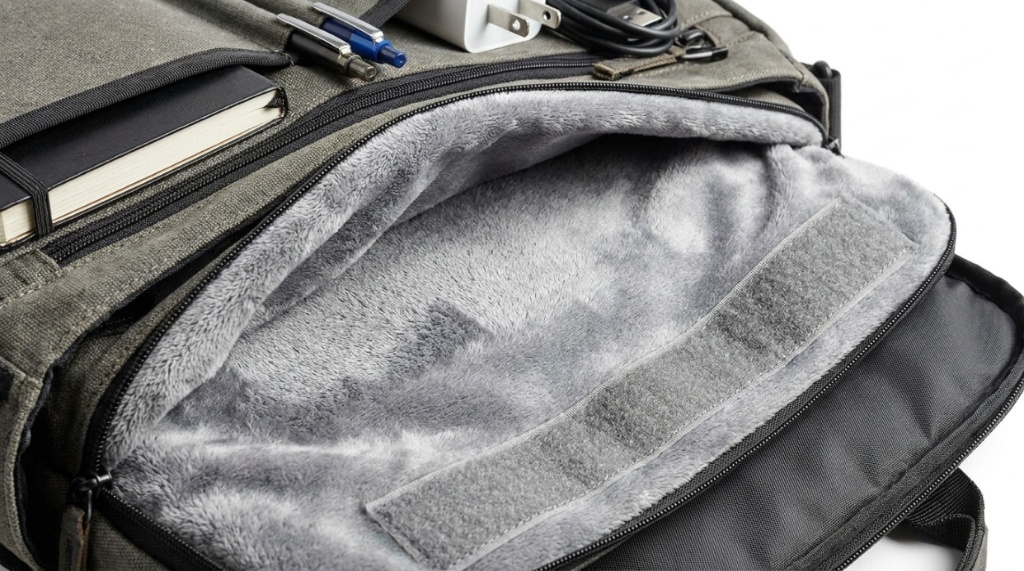
- Incase: Tensaerlite padding (proprietary closed-cell foam). Designed specifically for Apple products with precise fit. Faux-fur lining prevents scratches. $80–$200.
- Aer: Suspended laptop sleeve with 1.5cm padding. 1680D Cordura exterior adds abrasion and water resistance. Excellent for tech professionals. $150–$250.
- Peak Design: MagLatch closure system, FlexFold dividers, weatherproof shell. Designed for photographers carrying expensive gear — laptop protection is equally robust. $200–$300.
Do You Need a Separate Laptop Sleeve Inside Your Bag?
No — if your bag has a properly padded, suspended, dedicated laptop compartment with secure closure. Adding a sleeve inside a well-designed compartment adds unnecessary bulk and weight. Yes — if your bag’s laptop section has thin padding (under 1cm) or no suspension.
When to add a separate sleeve:
- Your bag’s laptop pocket has less than 1cm of padding
- The laptop pocket is not suspended (touches bag bottom)
- The laptop pocket is inside the main compartment (not separated)
- You frequently remove your laptop and carry it separately (meetings, coffee shops)
- Your bag has no laptop pocket at all (totes, basic backpacks)
When a separate sleeve is unnecessary:
- Your bag has 1.5cm+ closed-cell foam padding
- The laptop compartment is suspended
- The compartment is fully dedicated and separated
- The compartment has a secure closure
- You rarely remove the laptop from the bag during commute
If you do need a sleeve, choose one with closed-cell foam (not neoprene alone) and a secure closure. Budget: $30–$60 for quality protection.

How Do You Test Laptop Protection Before Buying a Bag?
Perform three tests in-store or at home: the drop test (set bag down firmly from waist height), the press test (push on laptop compartment exterior), and the shake test (with laptop inside, shake bag side to side).
Testing protocol:
- Drop test: With your laptop inside, hold the bag at waist height and set it down firmly (not gently) on a hard floor. Open the bag and check if the laptop shifted or if you felt impact through the sleeve. A well-protected bag absorbs this completely.
- Press test: With the bag on a table, press firmly on the laptop compartment from the outside. You should NOT be able to feel the laptop through the padding. If you can, the padding is too thin.
- Shake test: Hold the bag by its handle and shake side to side. The laptop should not slide or shift noticeably within the compartment. Movement means the fit is too loose.
- Base test: Set the bag on a wet surface (use a damp paper towel). After 30 seconds, check inside the laptop compartment for any moisture. A suspended sleeve stays dry.
- Tip test: Tilt the bag 90 degrees (opening facing down). The laptop should not slide out. If it does, the closure mechanism is inadequate.
Conclusion
Your laptop is likely the most expensive single item you carry daily — and the most vulnerable to damage from drops, water, and compression during commuting. Choosing a bag that genuinely protects it requires looking beyond “laptop compatible” marketing and evaluating specific engineering: suspended sleeves, closed-cell foam thickness, dedicated compartments, and secure closures. These four features are the difference between a bag that saves your laptop and a bag that merely holds it until something goes wrong.
Test before you buy. Press on the padding. Check for suspension. Verify the fit. And remember: the cost of one laptop screen replacement ($400–$800) exceeds the price difference between a bag with real protection and one without. Investing in proper laptop protection isn’t an expense — it’s insurance that pays for itself the first time your bag hits the ground harder than expected.
What laptop do you carry and what’s your current bag’s protection like? Share in the comments — I’ll tell you whether your setup is adequate or if you’re one bad drop away from an expensive repair.
Frequently Asked Questions
What is the safest type of laptop bag for commuting?
A backpack or messenger bag with a suspended laptop sleeve, 1.5cm+ closed-cell foam padding, and a dedicated compartment separate from the main storage. The suspended sleeve is the single most important safety feature — it prevents ground-contact damage that causes 80% of commute-related laptop failures.
How thick should laptop bag padding be?
Minimum 1cm for basic protection, 1.5cm for good protection, 2cm+ for premium protection. Test by pressing firmly on the padded area — you should not feel through to a hard surface. Padding under 1cm provides scratch protection only, not meaningful impact protection.
Can a laptop bag prevent water damage?
A bag with water-resistant exterior fabric, sealed zippers, and a suspended laptop sleeve provides excellent water protection for typical commuting rain exposure (15–30 minutes). For extreme conditions, choose bags with fully waterproof compartment linings. No bag protects against full submersion.
Is a hard-shell laptop case better than a padded bag?
For commuting, padded bags are better — they’re lighter, more flexible in tight spaces, and provide adequate protection for daily use. Hard-shell cases offer marginally better crush protection but add significant weight and bulk. Reserve hard cases for shipping or extreme environments, not daily commuting.
How do I know if my current bag protects my laptop enough?
Perform the press test: push firmly on the laptop compartment exterior. If you can feel the laptop through the padding, protection is inadequate. Also check for suspension — if the laptop touches the bag’s bottom when you press down inside the sleeve, it’s not suspended and vulnerable to set-down impacts.
Do laptop bags with more padding weigh significantly more?
Quality closed-cell foam adds only 0.3–0.5 lbs for full laptop protection. The weight difference between a well-padded bag and a poorly padded bag is negligible compared to the weight of the laptop itself. Never sacrifice protection to save a few ounces of bag weight.
What’s the best laptop bag under $200 with good protection?
The Thule Subterra ($130–$180), Aer Day Pack ($130), and Incase City Compact ($100–$150) all offer suspended sleeves, quality padding, and dedicated compartments under $200. These bags provide protection comparable to $300+ options while sacrificing only premium materials and brand prestige.
